Starlink has revolutionized internet connectivity across rural and suburban parts of the UK. For properties plagued by slow copper broadband or out of reach of full fibre, SpaceX's satellite network provides high-speed, low-latency access. But correct installation of the Starlink dish is critical to avoid dropouts.
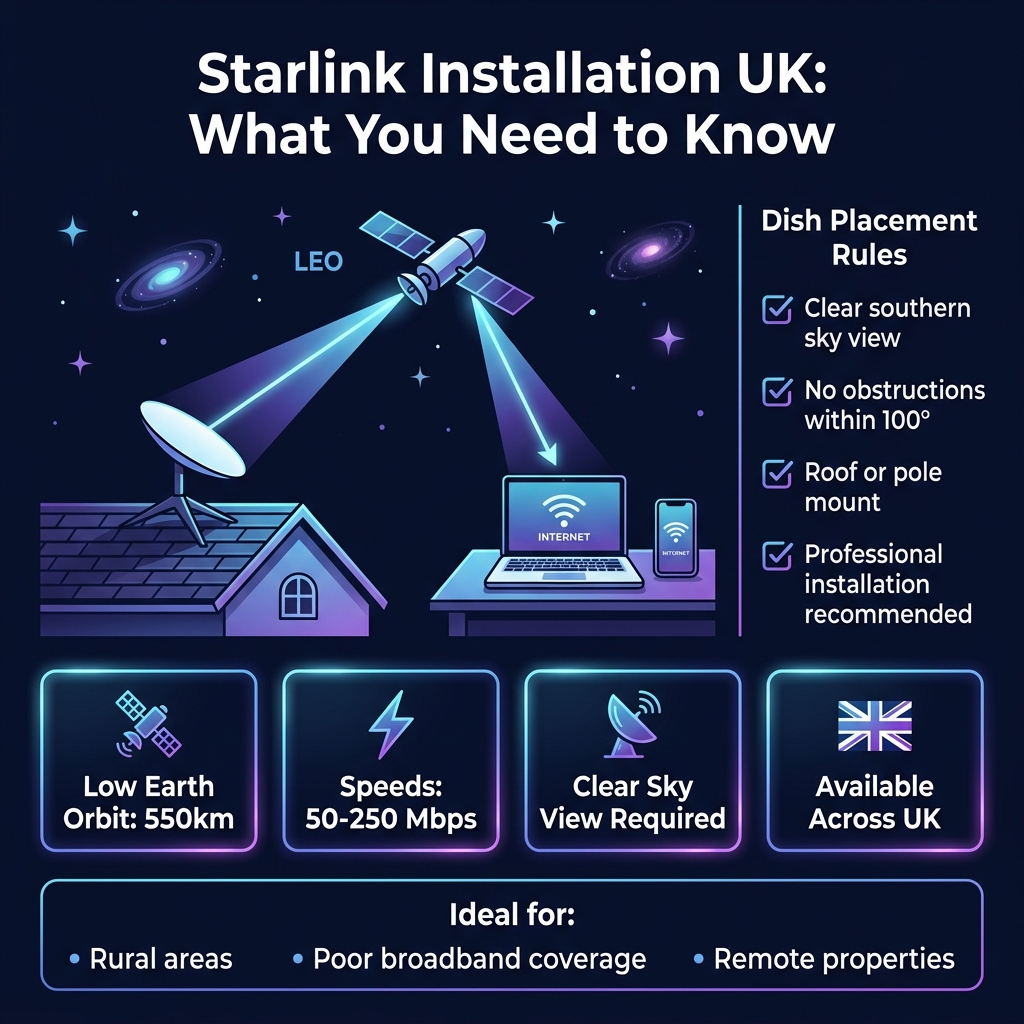
📡 Starlink Connection & Mounting Benchmarks
How Starlink Works in the United Kingdom
Starlink delivers high-speed, low-latency broadband across the UK by utilizing a constellation of low-Earth orbit (LEO) satellites that communicate directly with your phased-array user terminal. Unlike traditional geostationary satellites that sit 35,000km above the Earth, Starlink uses a constellation of thousands of Low Earth Orbit (LEO) satellites operating at around 550km.
This massive reduction in distance cuts latency from 600ms down to a responsive 30-40ms, making Starlink perfectly suitable for video calls, online gaming, and real-time streaming.
Roof Mount vs Pole Mount: Choosing the Right Setup
Choosing between a roof mount and a pole mount depends entirely on your property's line of sight and structural layout, as roof mounts offer maximum elevation to clear obstacles, while pole mounts provide excellent versatility in spacious gardens. Because Starlink satellites are constantly moving across the sky, your dish requires a completely unobstructed 100-degree view of the heavens, primarily facing north/north-east in the UK.
For most UK homes, a roof mount using a heavy-duty chimney strap or a gable end wall mount with a steel pole is the gold standard. A ground mount or garden stand should only be used if there are zero trees, fences, or neighboring buildings to block the signal.
Understanding Listed Building Consent for Satellite Dishes in the UK
Installing a Starlink dish on a Grade I or Grade II listed building in the UK strictly requires listed building consent from your local planning authority before any work begins. If your property is listed or located within a conservation area, you may require planning permission to install a Starlink dish. This is because satellite dishes can impact the aesthetic integrity of historic buildings and their surroundings.
Under the Planning (Listed Buildings and Conservation Areas) Act 1990, any works affecting a listed building's character must be approved by your local council. For conservation areas, you may need to apply for Listed Building Consent or obtain a Lawful Development Certificate to confirm your installation complies with local planning policies.
Selecting the Correct Cable Grade for UK Climates
To protect your Starlink system from harsh British winters and damp conditions, you must use high-quality, UV-stabilised, shielded Cat6 or outdoor-grade cabling that prevents moisture ingress and signal degradation. Starlink dishes require low-loss, UV-resistant coaxial cables rated to handle temperatures from -40°C to +85°C. This ensures optimal signal quality and durability in the UK's variable weather conditions.
Cables should be at least Category 5e or higher, with a minimum of 4 shielded twisted pairs. Look for RG6 quad-shield or equivalent, which meets British Standards (BS 7870-2) for digital cable television and data communication.
Complying with UK Electrical Safety Standards for Starlink Installations
Every UK Starlink installation must strictly adhere to the BS 7671 wiring regulations, ensuring proper earthing, surge protection, and safe cable entry points to prevent electrical hazards. All Starlink installations in the UK must adhere to the 18th Edition of the Wiring Regulations (BS 7671:2018) and be inspected by a qualified electrician. This ensures your system is safe, efficient, and compliant with current UK standards.
Your installer should use appropriate overcurrent protection devices (OCPD), such as circuit breakers or fuses, rated for the cable's ampacity. They must also ensure proper grounding and bonding to minimize electrical hazards.
Video Walkthrough
Starlink vs Standard UK Broadband
| Metric | Starlink Satellite | Standard ADSL Broadband | FTTP Full Fibre |
|---|---|---|---|
| Download Speed | 100 - 250 Mbps | 10 - 20 Mbps | 100 - 900+ Mbps |
| Latency (Ping) | 35 - 45 ms | 40 - 60 ms | 5 - 15 ms |
| UK Availability | 99% (Nationwide) | 95% (Copper lines) | approx. 60% (Growing) |
| Upfront Hardware | £299 - £449 | Free (usually) | Free (usually) |
Frequently Asked Questions
Need a Professional Quote?
Our certified UK engineers are ready to help. Get a free, no-obligation quote for professional installation tailored to your property.